The biggest value of taking attendance is this: Domo notices when someone starts drifting away and tells you, so no one gets lost in the crowd.
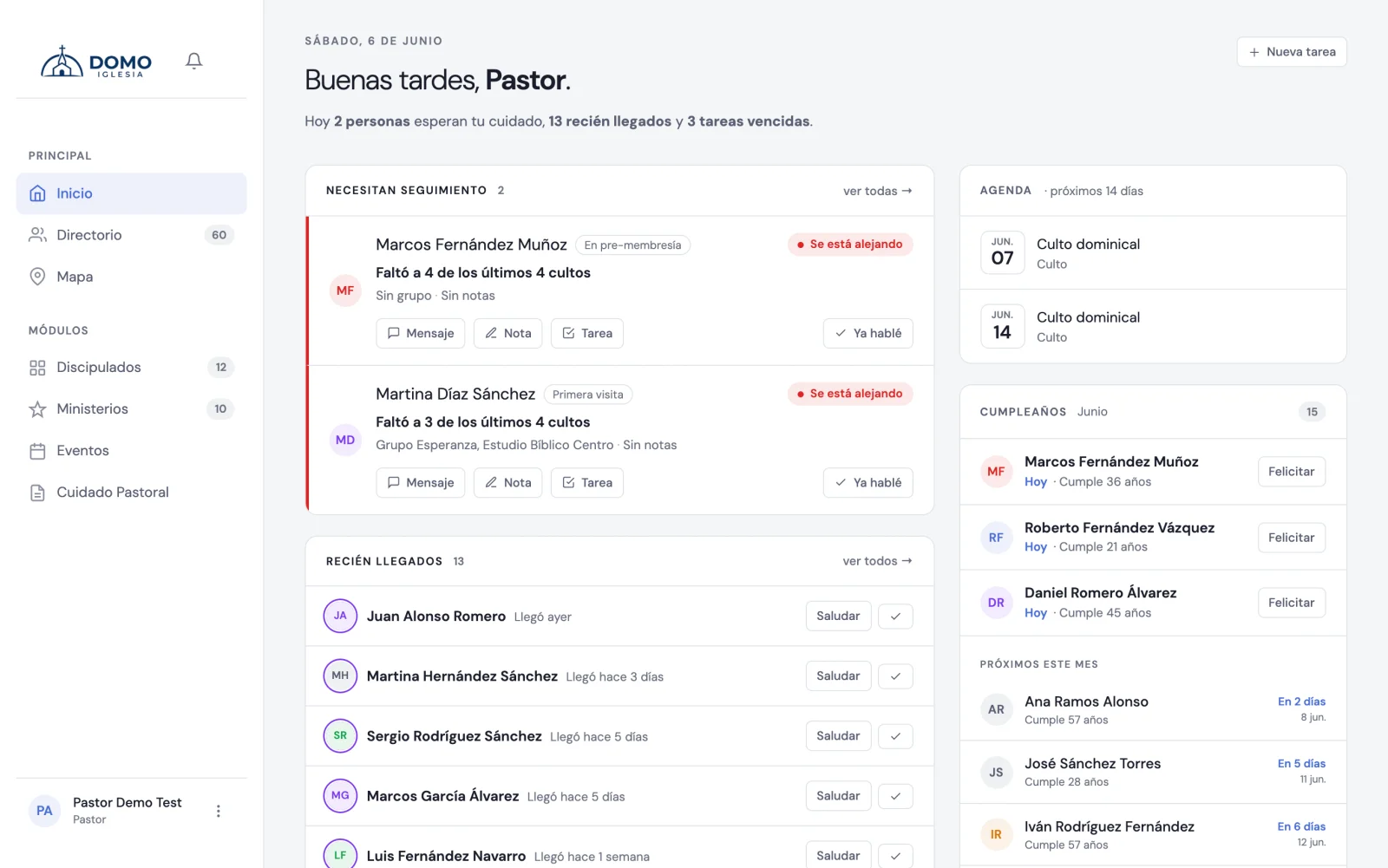
The "Need follow-up" section
You'll find it on Home (a summary of the most urgent) and in full in Pastoral Care, on the tab of the same name. The whole module is explained in Pastoral Care in order.
Domo builds that list by looking at attendance patterns:
- Worship services — missing 2 of the last 4 triggers an alert; missing 3 or more means the person "is drifting away".
- Discipleships — missing several meetings in a row of their group.
- One-on-one meetings — missing consecutive personal discipleship appointments.
Each person appears with a severity signal: those drifting away the most come first.
The actions on each row
Each person on the list brings their actions into view, as icons:
- Send a message with a ready greeting — opens WhatsApp with that person, if they have a number on file.
- Write a pastoral note.
- Create a follow-up task ("Call to check in").
- Remind me in a week — the in-between case: you know they were absent, but you'll look at it next week. The row is put away and comes back on its own.
- Already talked — the check mark.
When you've already talked to the person
Clicking Already talked logs the contact in one go, without asking you to write anything. A notice appears at the bottom with two options in case you want them: Add note (to record what you talked about) and Undo.
When you do, Domo understands you're already walking with them and stops showing them in "Need follow-up". They come back when the person misses a later worship service: time passing isn't enough, and neither is missing one of their group's meetings. That way the alert returns when it's genuinely worth reaching out again.
Creating a note or a task from the row has the same silencing effect.
That way the list stays clean and always shows you who still needs attention, not the people you're already caring for.
In short
- You take attendance regularly.
- Domo detects who to walk alongside and shows you.
- You contact the person and leave a note or task.
- The list updates on its own.