When your trial period ends —or earlier, if you've already decided— you can activate your plan yourself, with a card and in a few steps. It's all done from Domo.
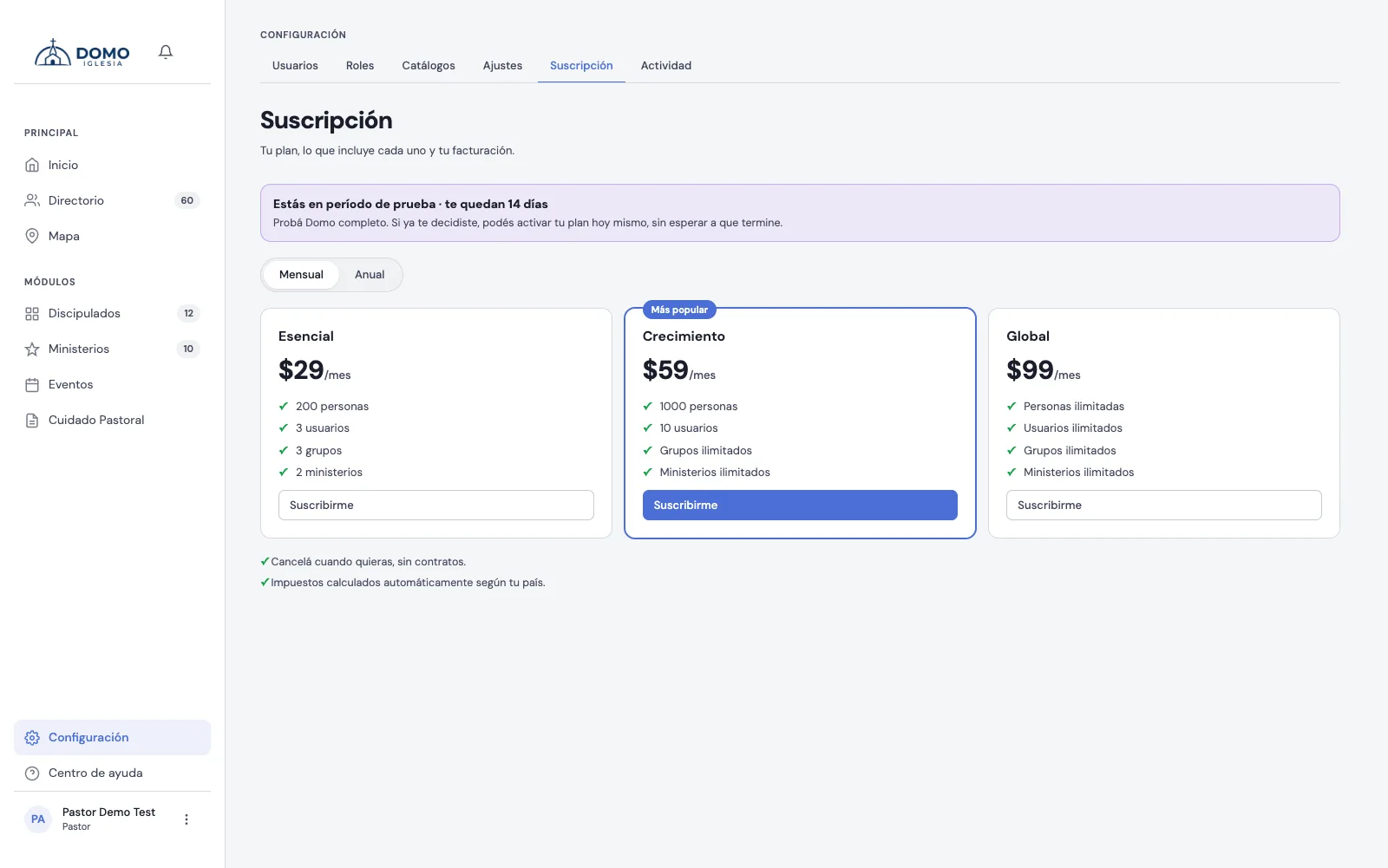
How to get there
In the sidebar, go to Settings and open the Subscription tab.
Only whoever administers the account (permission to manage users) can see and manage the subscription. If your church has a complimentary plan, you'll see a free-access notice and won't need to pay anything.
Choose your plan
At the top you'll see your account's current status (the trial days you have left, or your plan if you're already subscribed). Below are the three plans:
- Essential — to get started (up to 200 people, 3 users, 3 discipleships and 2 ministries).
- Growth — the most popular (up to 1000 people, 10 users, and unlimited discipleships and ministries).
- Global — no limits (unlimited people, users, discipleships and ministries).
Each card shows what it includes. Use the Monthly / Annual switch to compare prices: paying yearly gets you a lower monthly price, and you'll see how much you save.
Subscribing
- Choose the cycle (Monthly or Annual).
- On the plan you want, click Subscribe.
- A secure payment window opens where you enter your card details. Taxes are calculated automatically based on your country.
- After confirming, you return to Domo. Your plan is active within seconds.
Payment is contract-free: you can cancel whenever you want. If a charge ever fails, we'll let you know, and there's a grace period before it affects your access.
Changing plans later
If you're already subscribed and want to switch to another plan, write to us at hola@domoiglesia.com and we'll sort it out with you.
Related
Questions about the limits or the trial period? Check Your plan and its limits.