Domo adapts to how you like to work. These preferences are yours: they don't change what others see.
Light or dark theme
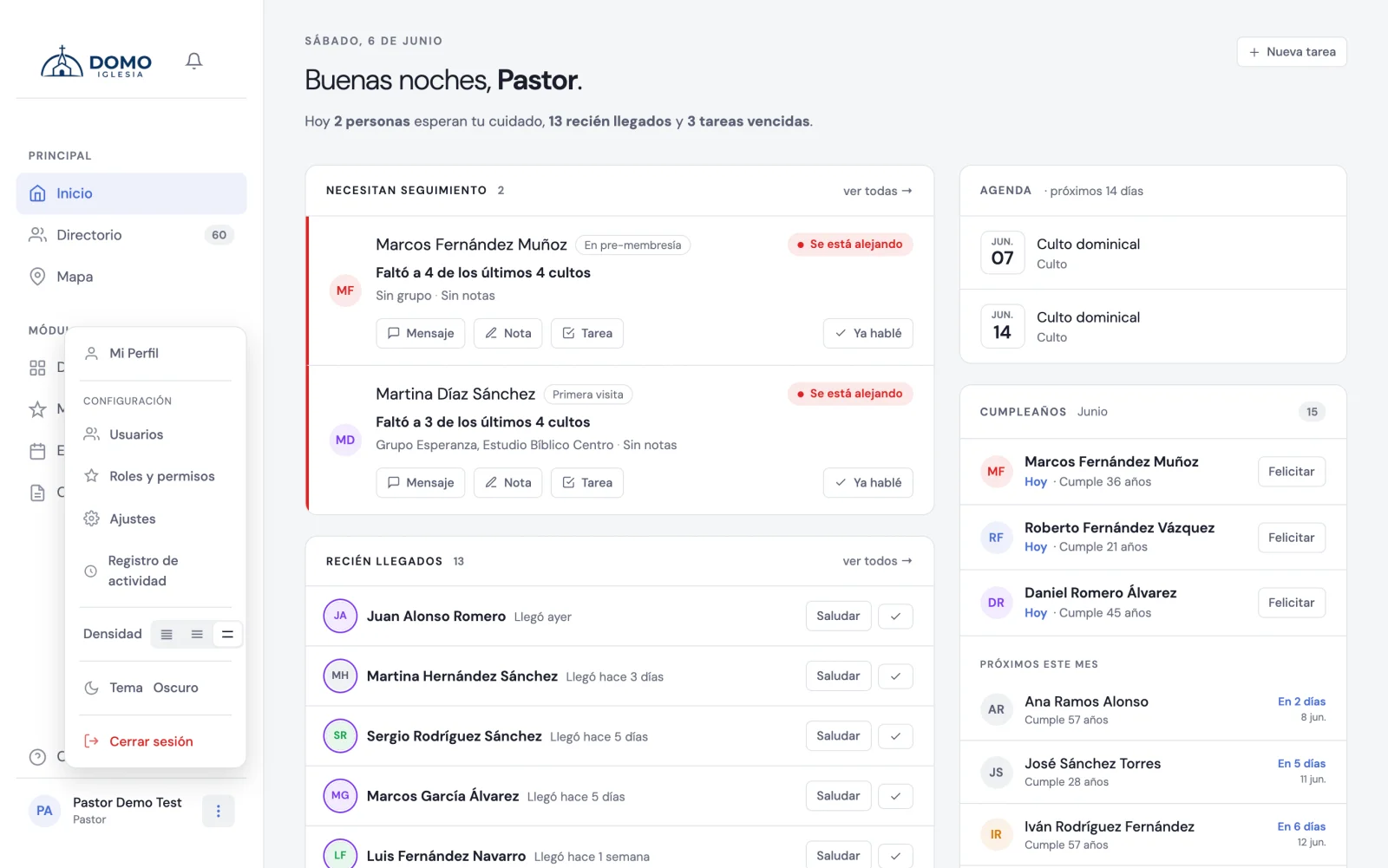
Click your name (bottom left) and click Theme to switch between light and dark. The option shows which one you'll switch to: if you're on light, it says Dark, and vice versa.
It's the only appearance setting that stays in the menu, because it's the one you reach for most during the day.
The dark theme is comfortable at night or in low light; the light one is ideal for very bright settings. Try which one rests your eyes more.
Interface density
Density defines how much "air" there is between the elements of lists and cards. It lives in My Profile, in the Preferences block:
- Click your name and choose My Profile.
- Under Preferences, open Interface density and choose:
- Compact — more information at once, ideal if you handle large lists.
- Normal — the recommended balance.
- Comfortable — more space, more relaxed on the eyes.
- Click Save changes.
In the same block you choose the language.
They're remembered on your device
Your choices are saved on the device you're using. If you sign in from another computer or from your phone, you can adjust them there too, to your liking.