In a growing church, "someone should walk alongside them" isn't enough: it helps to make clear who is in charge of each person. That's what pastoral assignments are for.
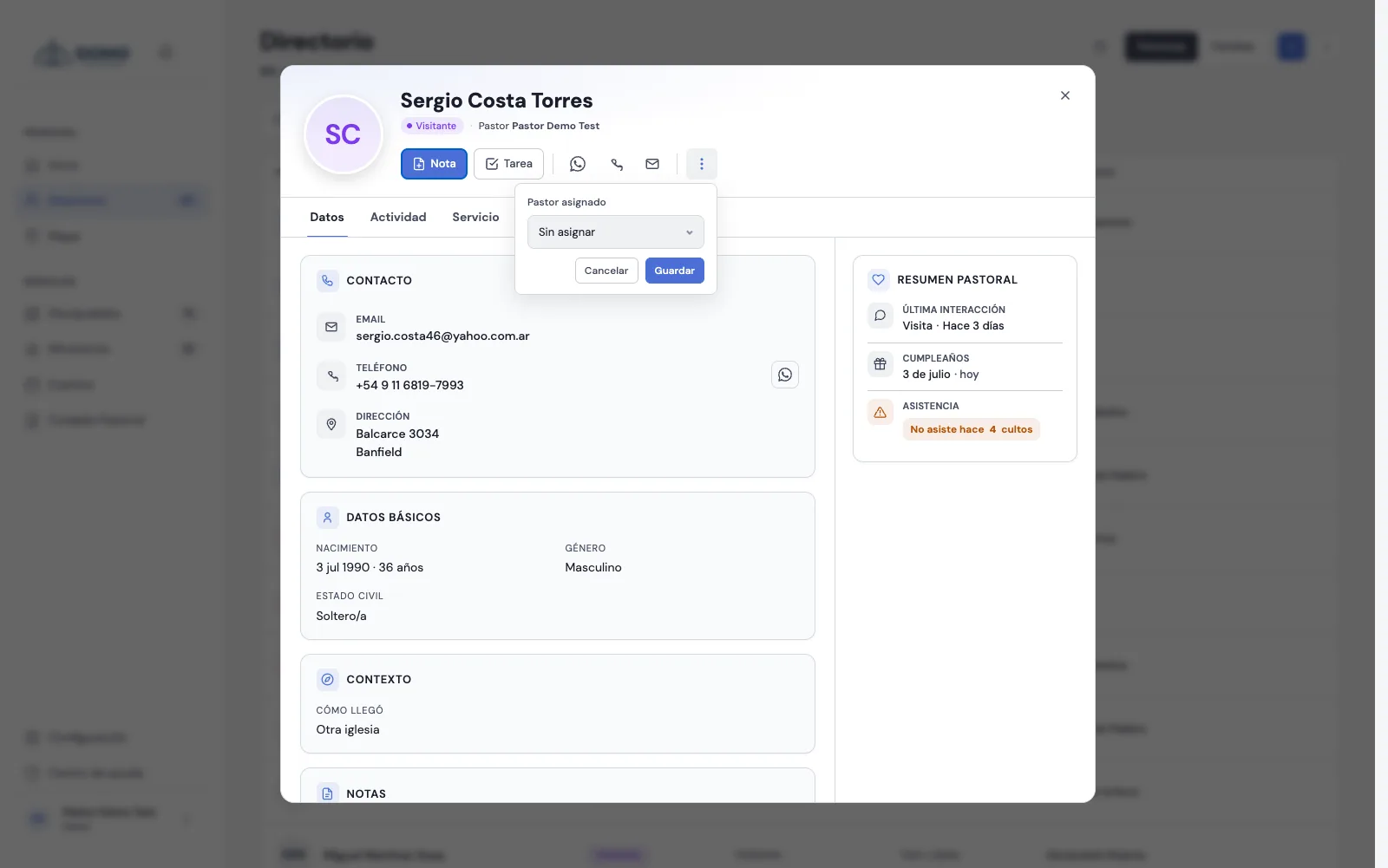
Assign a pastor in charge
- Open the person's record from the Directory or from Pastoral Care.
- Click the ⋯ menu (more actions) and choose Assign pastor.
- In Assigned pastor, choose the team member who'll care for them (you can assign a pastor or a resident), or leave it Unassigned.
- Click Save.
The pastor in charge shows up in the record's header, next to the person's name.
Who can assign
Only the pastor level can assign or reassign care. Each person has only one owner at a time: if you reassign them, the new assignment replaces the previous one.
What it's for
The assignment is recorded on each person's profile, so the whole team knows who walks alongside whom. It's the way to split up care so no one falls through the cracks.
Tip: assign the people who need it most first (new arrivals, in follow-up, in counseling) and fill in the rest at your own pace.