You don't have to lead the church on your own. In Domo you can create accounts for other leaders and give each one the right level of access based on their role.
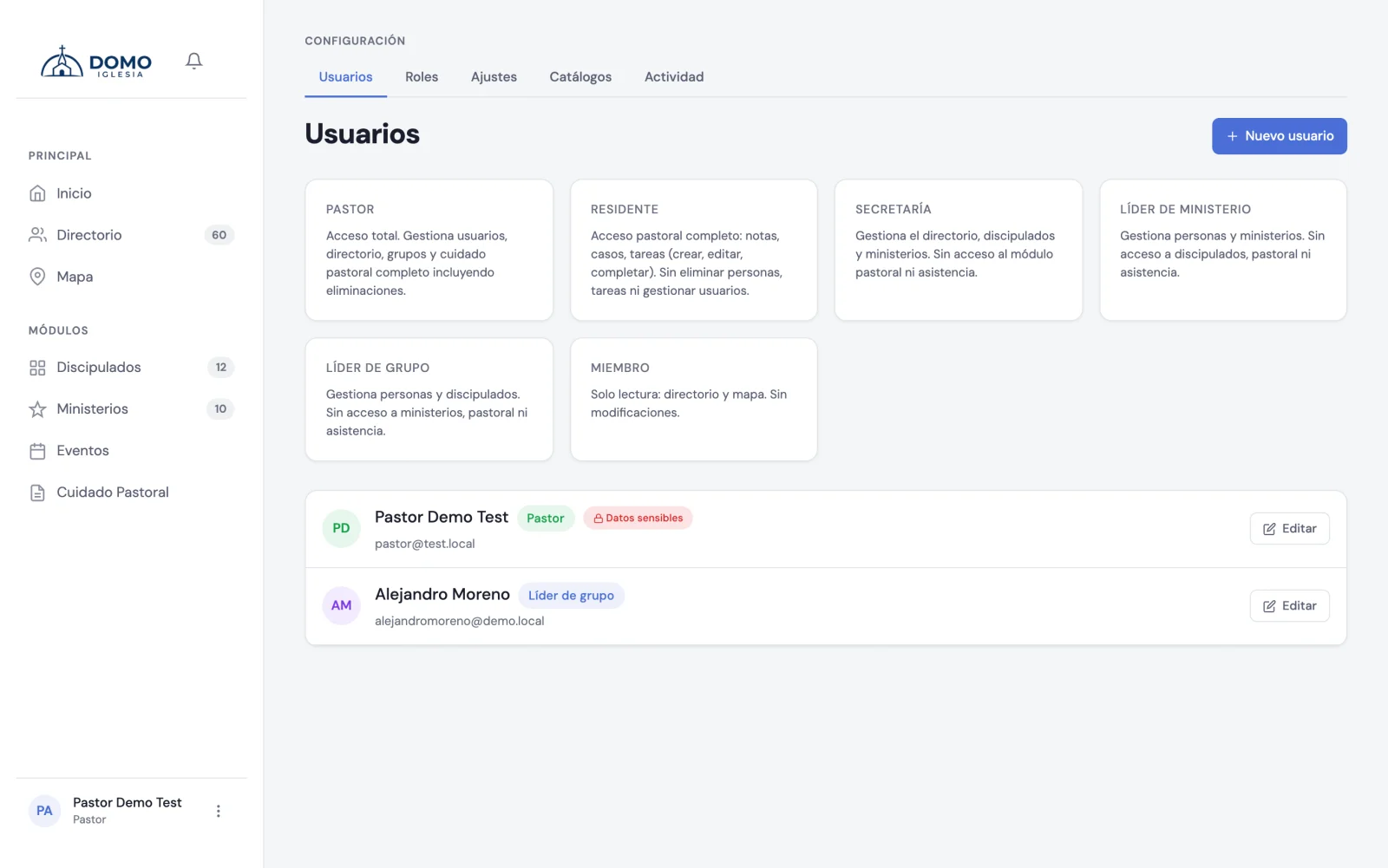
Create an account
- Open the settings menu: click your name, at the bottom left.
- Go to Users.
- Click New user.
- Type the full name, the email and a password (at least 8 characters). If you prefer, click Generate to create a secure password automatically.
- Choose the role they'll have (we explain which below).
- Click Create user.
Unlike other systems, in Domo you create the account directly: no email invitation is sent. So after creating it, share the email and password with the person so they can sign in (they can change it later from their profile).
If you're going to give them a pastoral role (Pastor or Resident), Domo will ask you to link the account to their directory record. That's what lets them manage their groups and ministries. You can find them in the "Directory person" field when creating the user.
Which role do I give each person?
The role defines what each team member can see and do. These are the roles Domo comes with:
- Pastor — full access. Manages users, directory, groups and all pastoral care.
- Resident — Team-level pastoral access (notes, cases and tasks of their own or their Team's), without seeing Restricted notes or moderating others', and without deleting people or managing users.
- Secretary — manages the directory, discipleships and ministries. No access to the pastoral module.
- Ministry leader — manages people and the ministries they lead.
- Group leader — manages people and the discipleships they lead.
- Member — read-only access to the directory and the map.
Want your whole congregation to be able to sign in, not just your team? You don't have to create the accounts one by one: they're all turned on with a single switch. See Give your whole congregation access.
Fine-tune permissions
Need a different level of access? In Settings → Roles and permissions you can create new roles and turn permissions on or off one by one (view directory, manage groups, and so on).
Some permissions in the pastoral area are sensitive: when you turn them on, Domo asks you to confirm your password and records who granted them. It's protection on purpose, because they give access to delicate information.
Pastoral care is special
Pastoral care notes contain sensitive information. That's why not everyone on the team sees them the same way: there are restricted notes that only certain roles can see. We cover it in detail in the Pastoral Care section.
Next step
With your team in, it's time to fill the directory. Continue with Add your first people.
Everyone adjusts their own sign-in details later in My Profile.