Discipleships are your church's small groups: cell groups, study groups, or the personal walk of a discipler with their disciple. Here's how to create your first one.
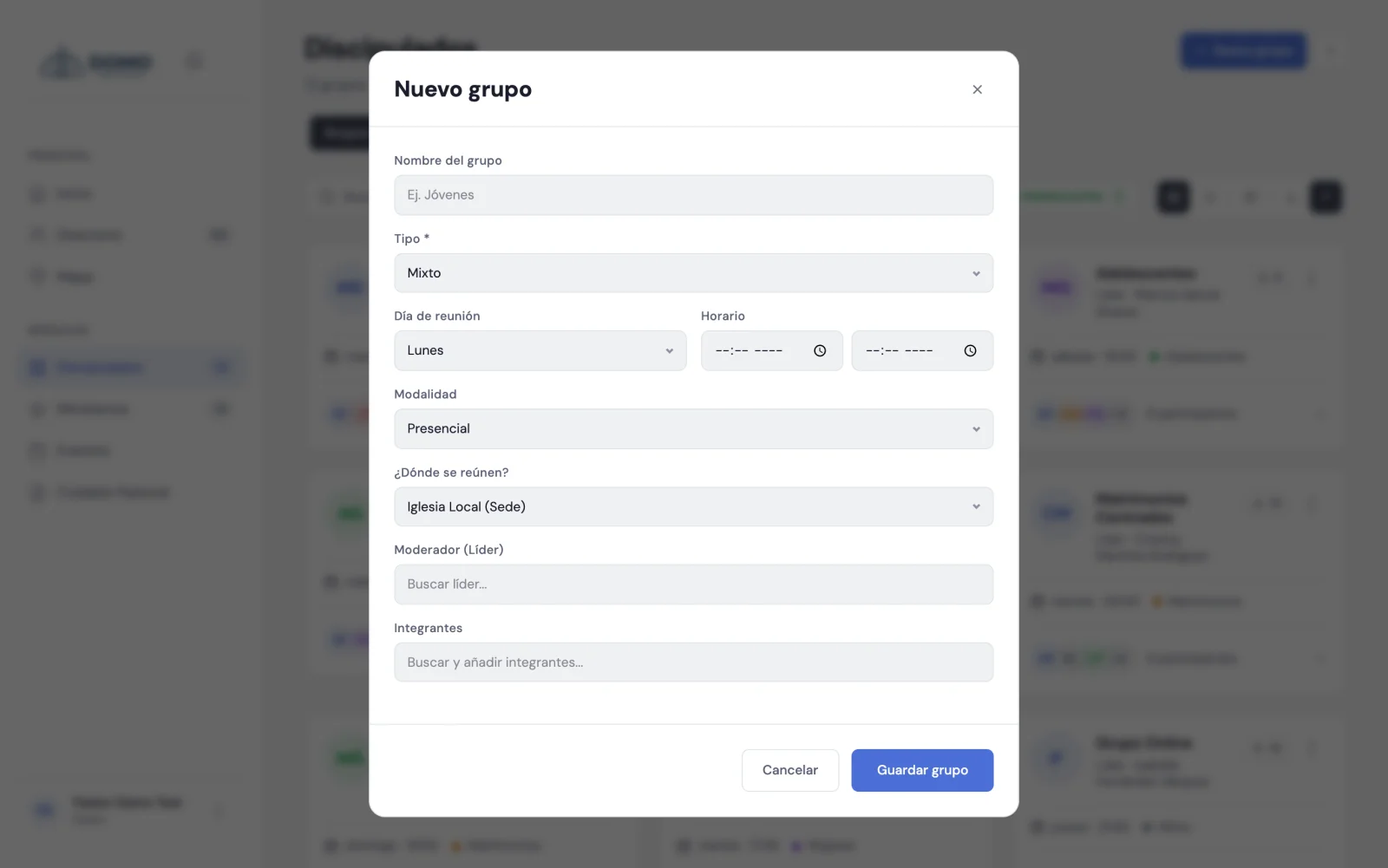
Create a group
- Go to Discipleships in the side menu.
- Click New group.
- Choose the type (required). The type defines what kind of group it is.
- Fill in the rest as needed: meeting day, time (start and end), format (in person or online) and, if it applies, where they meet.
- Assign the leader (the group's leader) by searching for their name.
- If you want, add the members from the search box.
- Click Save.
If you set a day and time, Domo automatically creates the group's meetings in the Events calendar. So you don't have to add them one by one.
How often they meet
Under Frequency you choose the group's rhythm, and Domo generates the meetings accordingly:
- Weekly — every week, on the day you chose.
- Every 15 days.
- Once a month — and there you say which week of the month: first, second, third, fourth or last. Domo confirms below how it turned out ("The meeting falls on the third Tuesday of each month").
It works for any group, but it shows most in one-on-one discipleships, which are rarely weekly.
Discipleships are special
If you choose the discipleship type, the group works as a more personal relationship —usually a discipler with one person—. So in that case, Domo adjusts the form to focus on the discipler and the person being discipled.
These groups don't carry a name of their own: in lists and pickers they're identified by who they are ("Ana Pérez and Lucía Gómez"), so they don't show up blank.
Where do the types come from?
You define the group types in Settings → Catalogs. There you can create the ones your church uses (for example, "Cell group", "Youth group" or "Bible study"). We cover it in the Settings section.
Next step
You've got your group. Now it's worth understanding the roles and how to add members.