In Events you keep your church's calendar: worship services, meetings, rehearsals and every activity. Here's how to create the first one.
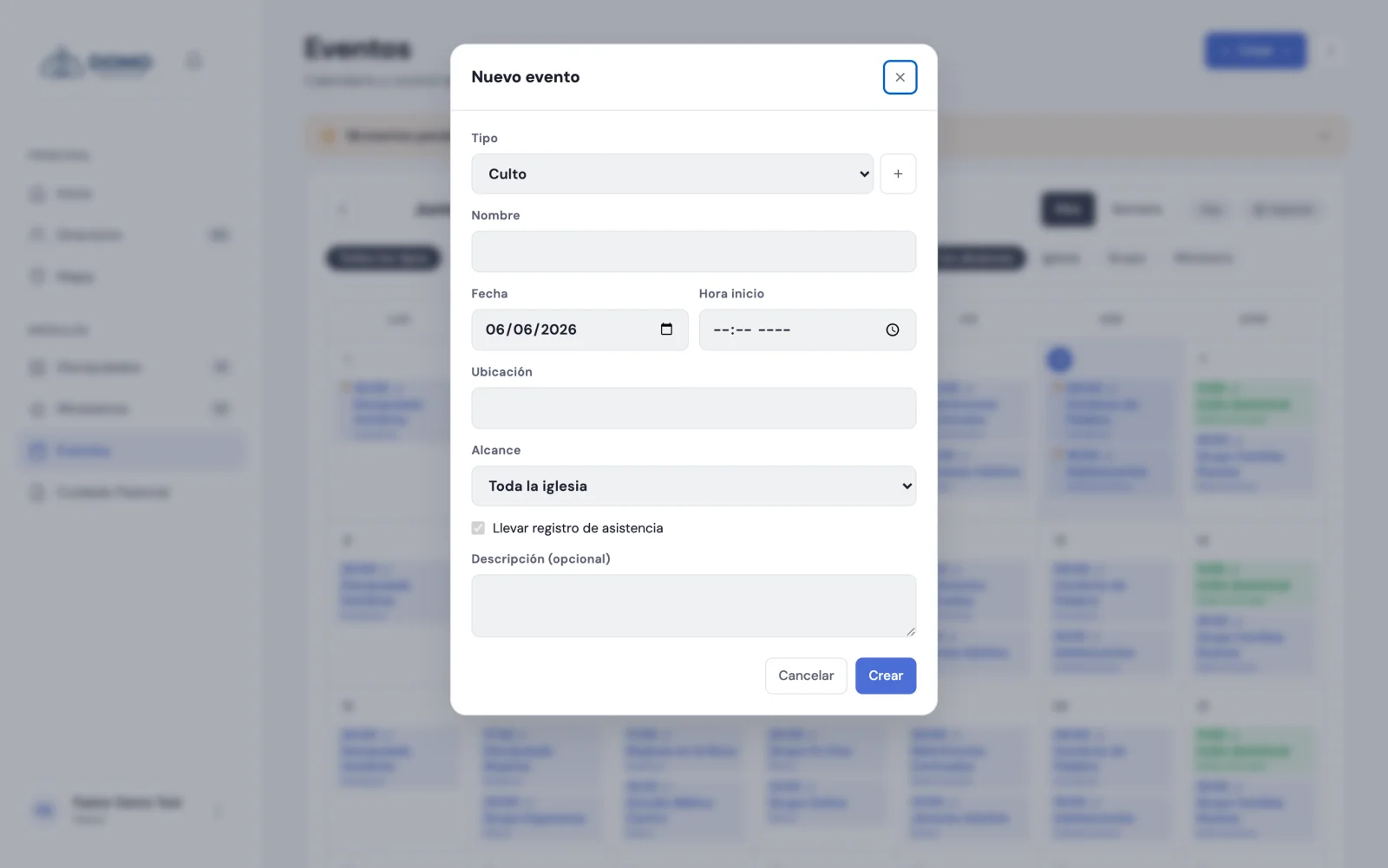
Create an event
- Go to Events in the side menu.
- Click Create and choose New event.
- Choose the event type (required) and type a name (required).
- Set the date (required) and, if you want, the time.
- Define the scope: whether it's for the whole church, a group or a ministry. If you choose group or ministry, say which one.
- If it applies, check Keep attendance record so you can take roll that day.
- Click Create.
When the type is worship service, Domo turns attendance on automatically: services can always be recorded so you don't lose track of who attended.
Events only the pastoral team sees
Some appointments shouldn't be in plain sight of the whole congregation: a counseling session, an interview, a delicate situation. For those, the form has the Pastoral team only option.
An event marked that way:
- Disappears from the calendar, from Home, from PDFs and from the search of everyone who isn't on the pastoral team. It can't even be reached with a direct link.
- Carries a padlock on its calendar chip and on its record, so whoever does see it knows it's reserved.
- Doesn't take attendance: it stays out of pending reminders and out of the statistics.
It's seen and marked by the pastoral team (pastors and residents) and by whoever manages events — the Office, usually the one scheduling counseling sessions. Group leaders and member accounts don't.
If you have an event type called Counseling in your catalogs, the form checks the option on its own when you pick it. You can still uncheck it.
Where do event types come from?
You define the types (worship service, meeting, rehearsal, counseling, and so on) in Settings → Catalogs. You can create the ones your church uses and give them a tone from a palette of 12 colors to tell them apart on the calendar.
The tone you choose rules everywhere: the month and week calendar, the day's compact dot and the filter chips. And it's independent of your church's accent color: changing the accent doesn't shift your event types.
The calendar view
Events shows as a monthly calendar. Each day shows its events, and a small indicator warns you if an event with attendance hasn't been recorded yet. You can also filter by type and scope, switch between Month and Week, and export as PDF.
If any events were left unrecorded, an amber notice appears at the top with the count ("3 events pending attendance"). It expands to show which ones, and if it isn't useful right now you close it with the ×: it stays quiet for 15 days on that device.
Next step
If an event repeats every week (like the Sunday service), don't add it one by one: use recurring series.