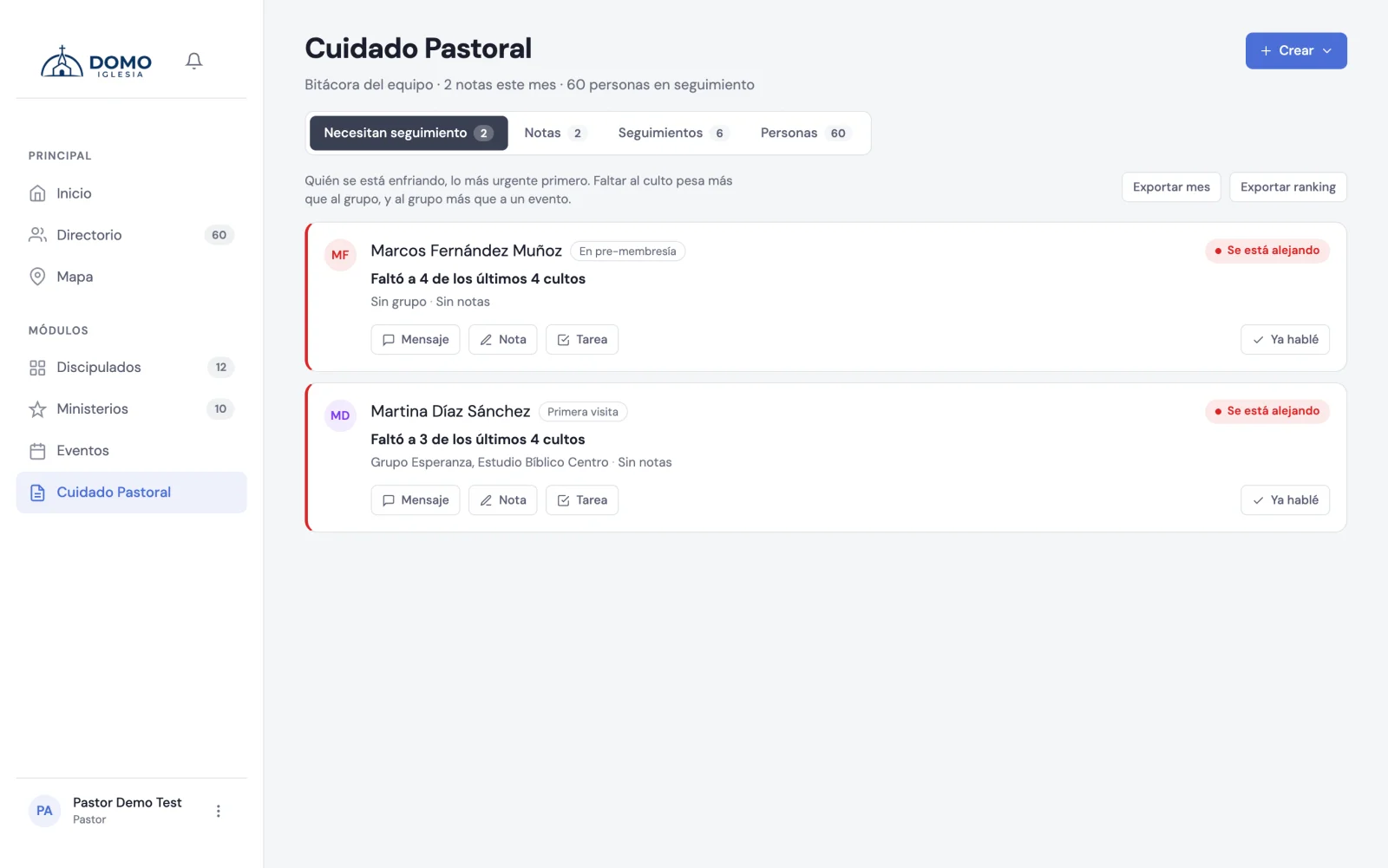
The Pastoral Care module brings the heart of pastoral work into one place: who to walk alongside, what you talked about and what's left to do. It's designed so nothing and no one falls through the cracks.
The sections
When you enter Pastoral Care you'll see these tabs:
- Need follow-up — the people who, based on their attendance, are worth contacting soon.
- Notes — the record of what you experience with each person (visits, counseling, prayer…).
- Tasks — the pastoral to-dos: what needs doing and who does it.
And two more things that aren't tabs: who cares for each person and the reports in the ⋯ menu.
The report of absences by person doesn't live here anymore: it moved to Events → Attendance, because it's an attendance report and not an act of care. We cover it in Absences.
Who can enter
This module is sensitive, so access depends on role:
- Pastor — full access: sees all notes (including restricted ones) and can moderate others'.
- Resident — full pastoral access, but only sees Team notes and what they created themselves; doesn't see others' restricted notes.
- Other leaders — depending on the permissions an administrator gives them, they may have read-only.
If you don't see the Pastoral Care section in your menu, it's because your role doesn't have access. An administrator can adjust it in Roles and permissions.
Where to start
A good weekly rhythm: open Need follow-up, contact whoever appears, and leave a note or a task about what you did. With that, the rest sorts itself out.