Besides telling you who to follow up with, Domo lets you look at the cold numbers: how many times each person was absent in a period. It's useful for spotting patterns and organizing care by zone or group.
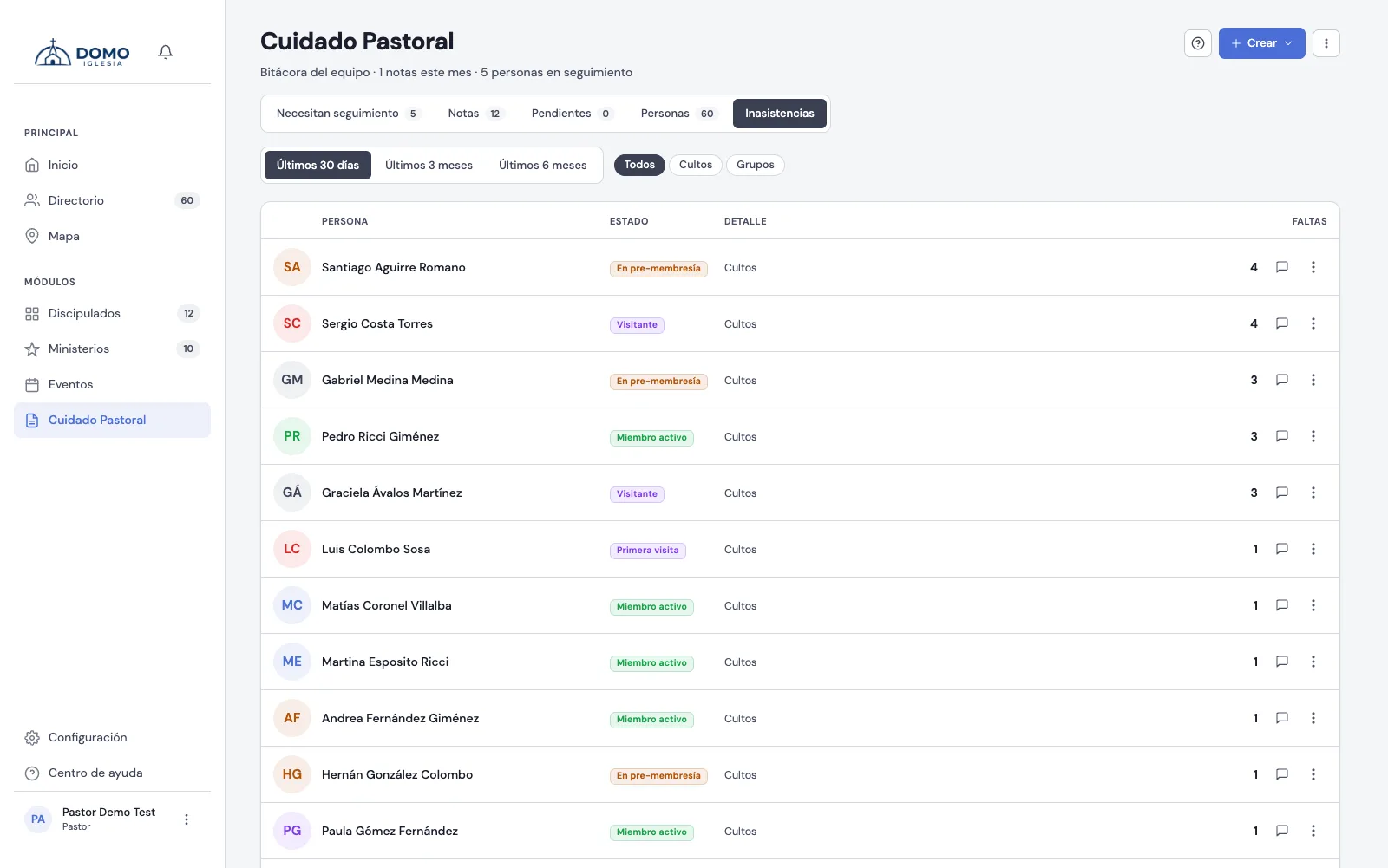
Where it is
In Events, at the top, switch from the Calendar segment to Attendance.
This used to live in Pastoral Care. It moved to Events because it's an attendance report, not an act of care, and because this way it also reaches the Office, which manages attendance without having pastoral access.
The tab only shows up if your role can manage attendance. Group leaders don't see it: they record attendance because they moderate their group, not because of that permission. For their own group's history they have the Attendance tab in Discipleships.
What it shows
A list of people sorted from most absences to least. Each row shows:
- Person and their photo.
- Status — their pastoral stage.
- Detail — the scope where they were absent (worship services or their group) and when the last absence was.
- Absences — the number of times they were absent in the period (it's a count, not a percentage).
Adjust what you're counting
With the filters at the top you choose:
- Period — Last 30 days, Last 3 months or Last 6 months.
- Meeting type — All, only Worship services or only Groups (and there, a specific group if you want).
On the phone, the filters open with the Filters button.
Export opens a printable version in a new tab. Note: that PDF is a ranking of absences from worship services only, and it takes the period from the pills (with "Last 30 days" it prints the current year). It doesn't carry the group filter over.
Act from the list
From each row you can leave a Note or create a Task ("Call to check in"), or open the person's record.
Anyone in the Inactive member stage doesn't show up here: that stage deliberately takes the person out of the attendance calculation (see pastoral stages).
This is a report, not an alert you need to dismiss. For active follow-up — who to contact now — use the Needs follow-up tab in Pastoral Care. Absences is the big-picture view.