When you open a person in the Directory, their record opens up: the place where all their information lives, organized into tabs.
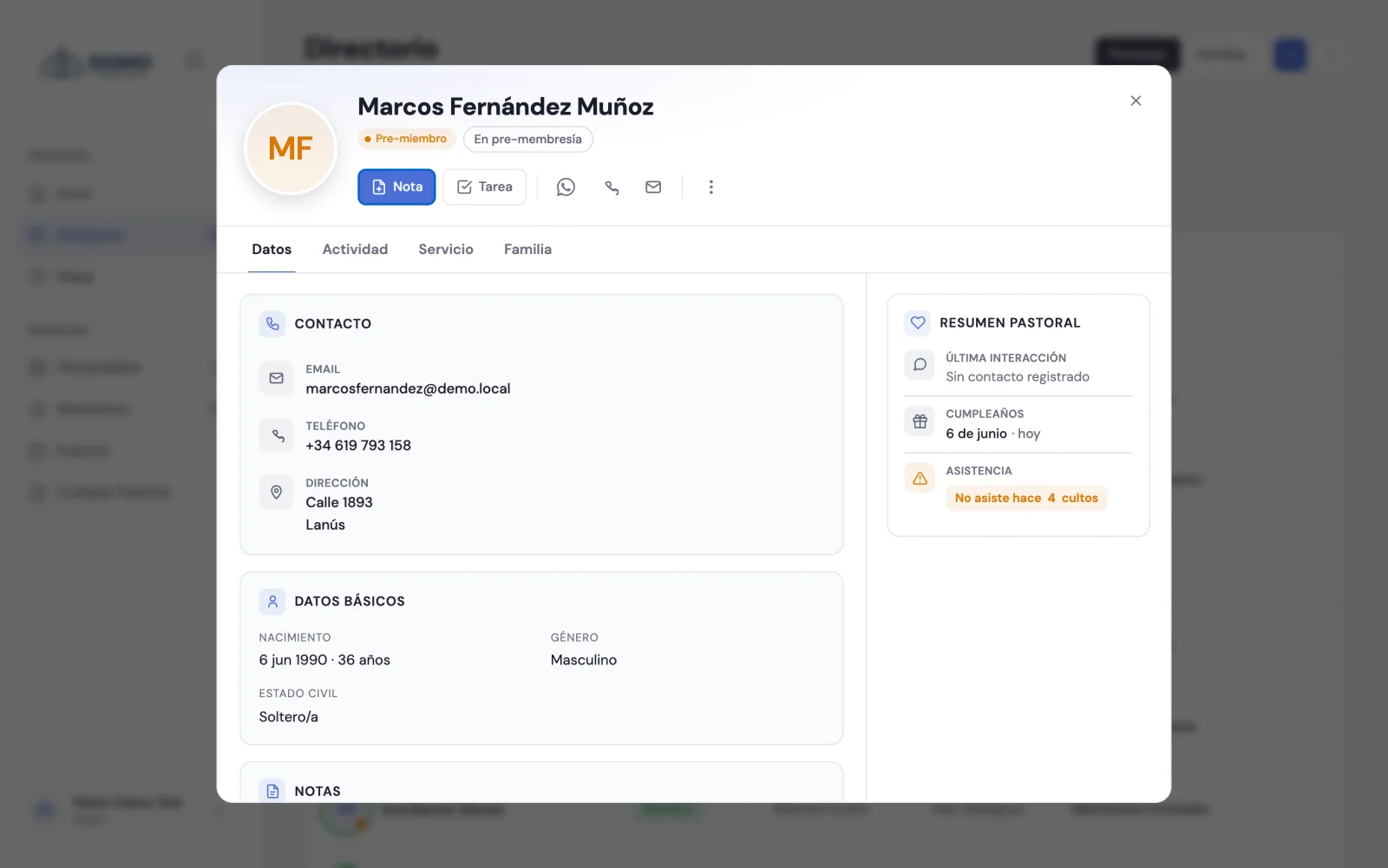
The record's tabs
- Details — their contact, basic info, key dates and general notes.
- Activity — a timeline of everything that happened with the person. You can filter by All, Notes, Tasks or Attendance.
- Service — the Ministries and Groups / Discipleship they take part in.
- Family — their household and the household members.
If you have pastoral access, on the side you'll also see a Pastoral summary (last interaction, next action, birthday) and the Journey (the person's stage history).
Edit and complete the details
When you edit a person you start with Basic details (the minimum to add them). To fill in the rest, open More details (contact, family, dates) and you'll complete it by sections:
- Contact and photo
- Family
- Dates and journey
- Profile and service
- Emergency contact
Upload a photo
In the Contact and photo section you'll find Profile photo. Choose an image (JPG or PNG, up to 2 MB) and it'll show on the record and in the lists.
You don't have to fill everything in at once. The record grows over time: every conversation, every new detail, makes it more useful for caring for the person.
Exporting a person's data
From the record's ⋯ menu, the Export data option downloads a file with everything Domo has on record about that person: their details, family links, groups, ministries and, if you have pastoral access, their absences. It's the way to hand someone their information if they ask for it, in line with personal data protection.
It's different from exporting the whole directory, which produces the list as a PDF.
The family ties on the record are built in Families and relationships.