The Service module turns every service on the calendar into a program: the liturgy's moments in order, who's in charge of each one, and that week's theme, passage and songs. It's an optional module: you turn it on whenever you want.
Turning the module on
- Go to Settings → Settings and look for the Service block (it carries a Beta label).
- Flip the switch and save.
- Service appears in the sidebar.
When you turn it on, Domo creates a base liturgy for the Worship service event type with six moments (call to worship, opening prayer, Scripture reading, sermon, offering and benediction). It's a starting point: edit it to taste.
Services are still calendar events. The module doesn't create services: it takes the events of a type that has a liturgy and adds the program to them. If you don't have services loaded yet, create them under Events (better as a recurring series).
The program
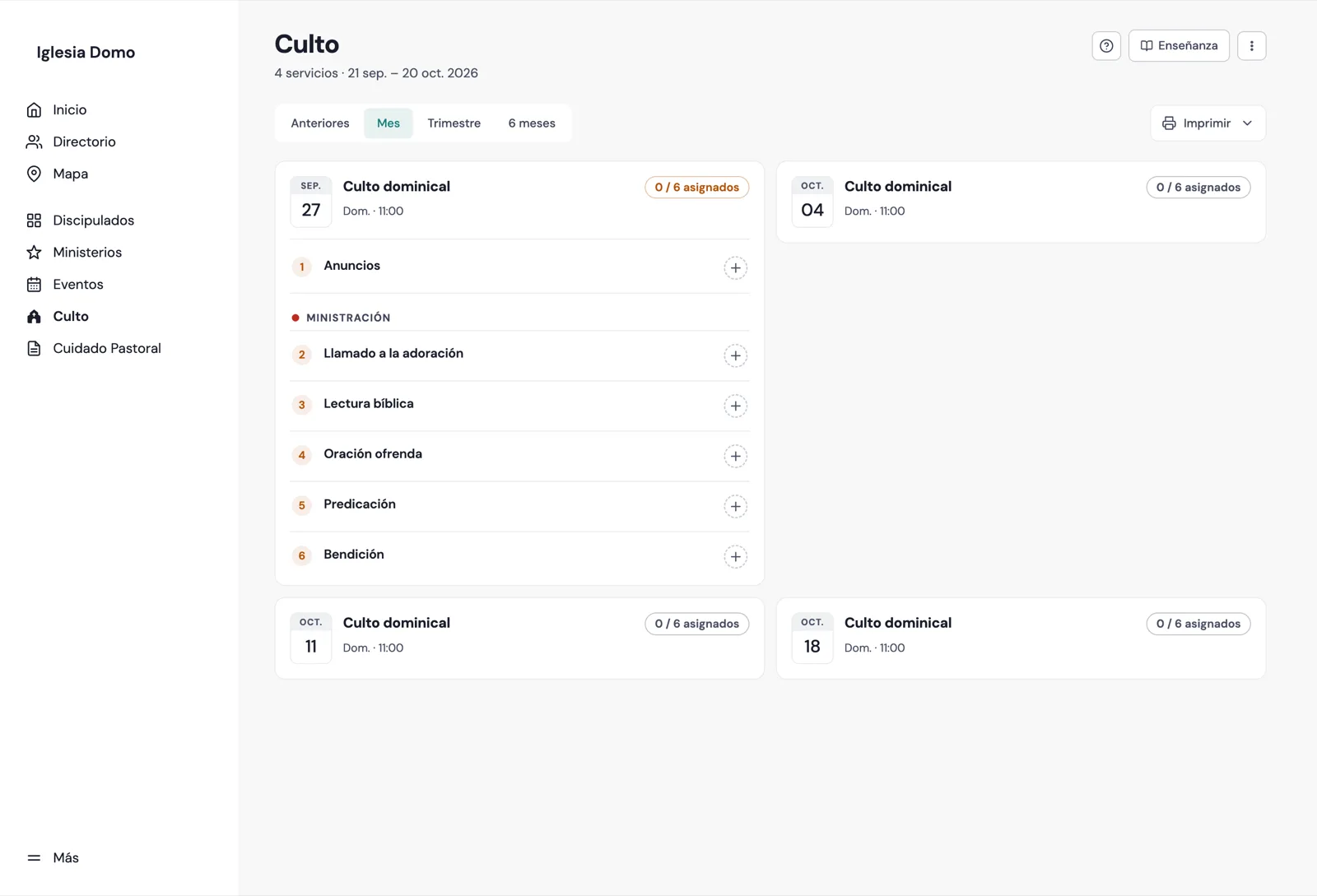
When you go into Service you see the program: one card per service with its moments, who's in charge of them, and a coverage counter ("3 / 6 assigned"). Moments with no one in charge are marked in amber.
- The pills at the top let you pick the period: Past (the last three months), Month, Quarter or 6 months, counted from today.
- Tap a service's title to open its record. Tap the + on a moment with no one in charge to go straight to assigning it.
- Print puts the program on paper: the next service, the current month, the whole visible period, or Choose a service… to take just one from the list.
Who can do what
Seeing the program and the records requires the Ver cultos permission ("view services"); editing liturgies, assigning people and loading content requires Gestionar cultos ("manage services"). The Pastor, Resident and Office roles have them from the start; you give them to any other account from its record under Users, in the additional permissions block.
Next step
With the module on, the first thing is to define the liturgy for each service type: which moments it has and in what order.