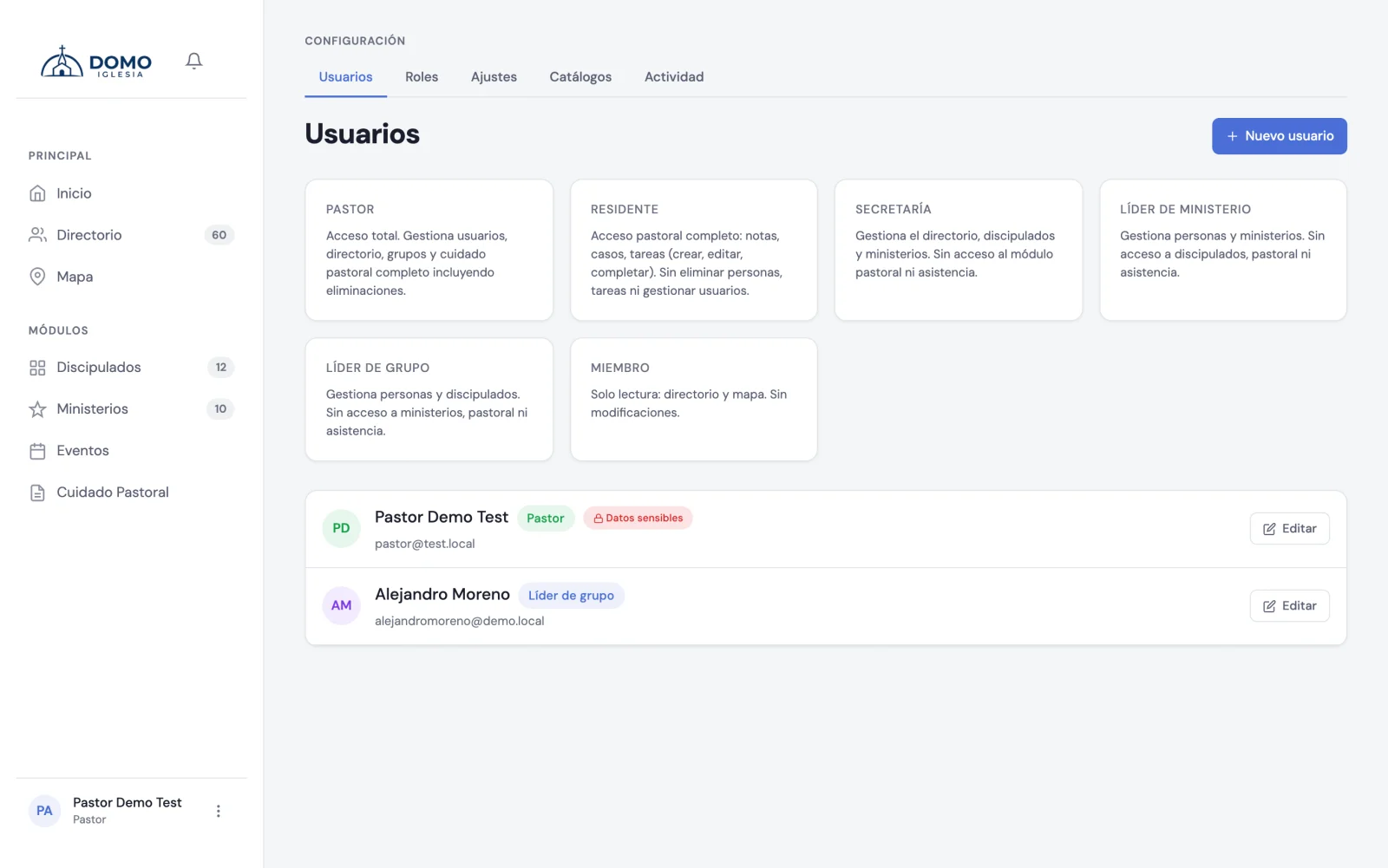
So far you've created accounts one at a time, for your team. But some churches want all of their members to be able to sign in to Domo: not to manage anything, but to have a brother's phone number at hand, know which family someone belongs to, or see where the people in their area live.
That's what the Member access switch is for. You don't have to open each person's record: turn it on once and you're done.
How to turn it on
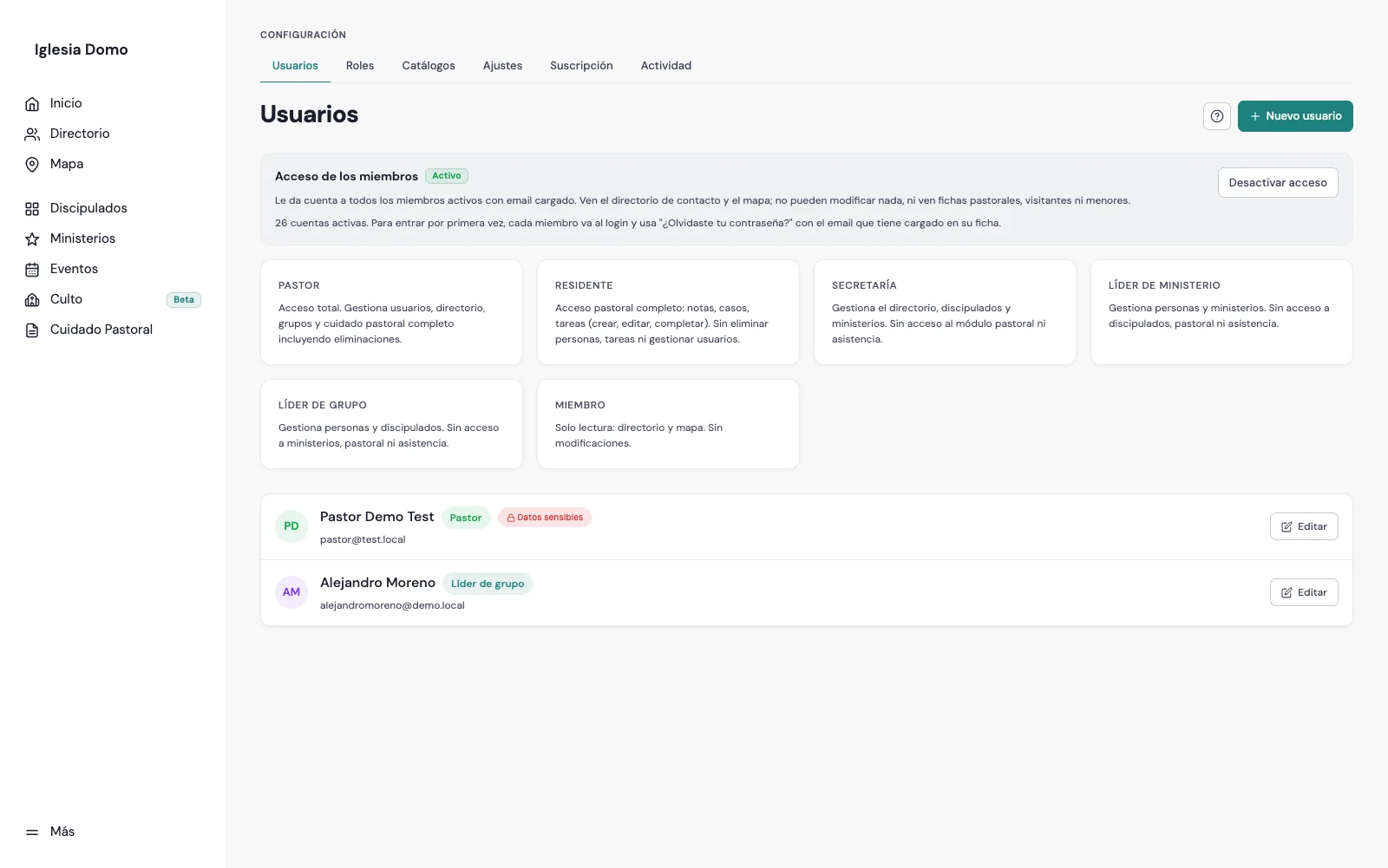
- In the sidebar, go to Settings and open the Users tab.
- At the top you'll see the Member access card. It tells you how many members have an email on file and would get access.
- Click Turn on access and confirm.
Domo then creates an account for every person who meets all three conditions:
- they're at the Member in full communion stage,
- they're not marked as a minor,
- and they have an email on their record.
Anyone without an email is left out, and the card tells you how many. You don't need to do anything special for them: as soon as you add their email in the Directory, their account is created automatically.
How does a member sign in the first time?
Domo doesn't send email invitations, and you don't have to dictate a password to anyone. Each person gets in on their own:
- They go to your church's Domo address (the same one you use).
- They click Forgot your password?.
- They type the email on their directory record.
- They get an email with a link and set their own password there.
It's the same path the rest of the church already uses when they forget their password, so there's nothing new to explain. Just announce those three steps to the congregation through your usual channel — the WhatsApp group, the Sunday announcements.
If someone says the email never arrives, the first thing to check is that the email on their record is correct. The link goes to whatever address is in the Directory.
What a member sees (and what they don't)
This is the important part. A member account is read-only and sees far less than your team:
They see:
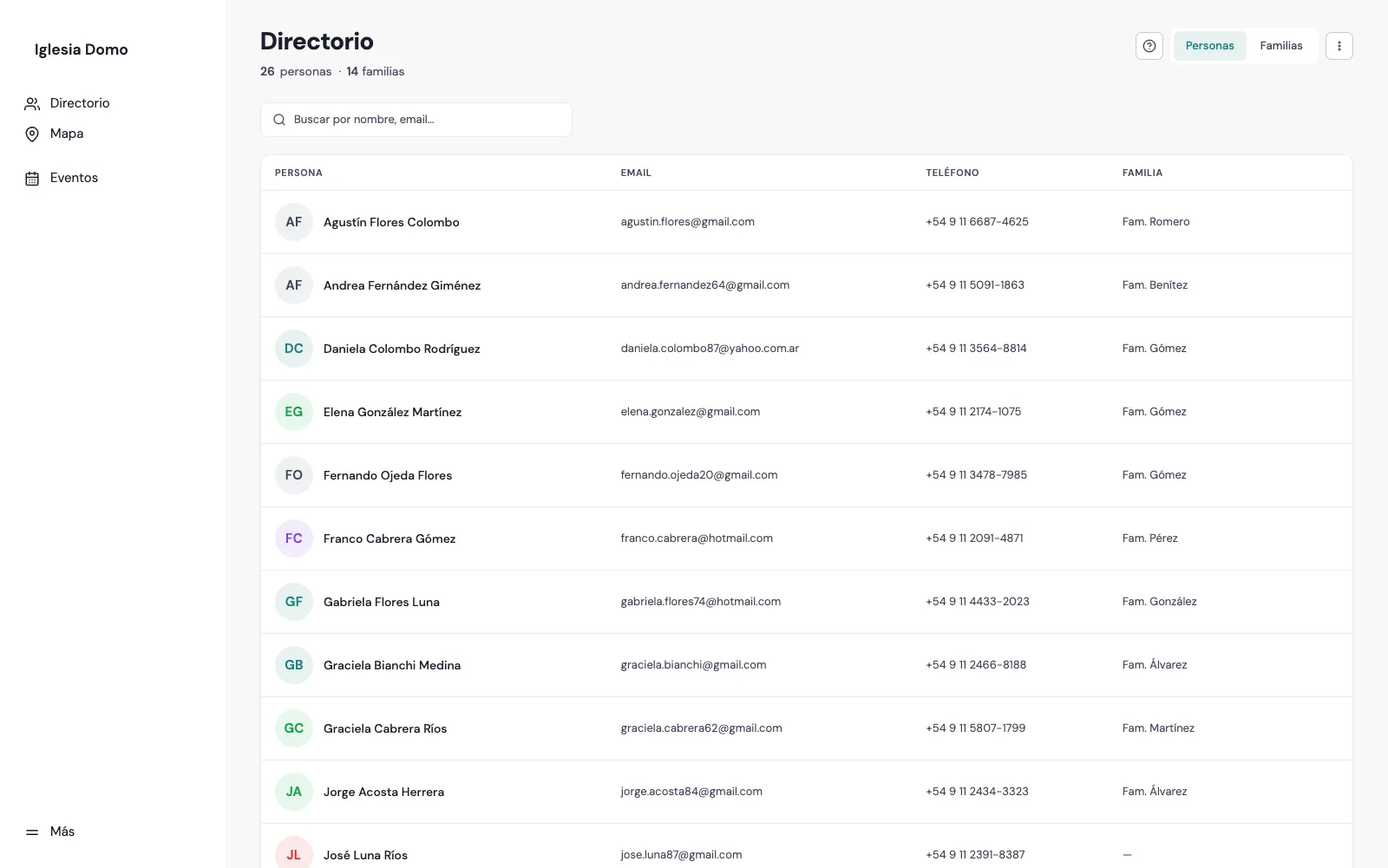
- The contact directory: name, photo, email, phone and family of each member.
- The map, to see where the church's people live.
- The Events calendar.
They don't see:
- Visitors or people in pre-membership. Only members in full communion show up.
- Minors.
- Anything from pastoral care: no notes, no tasks, no assigned pastor, no follow-up.
- The sensitive fields on a record: date of birth, emergency contact, baptism or membership dates, profession, how they came to the church.
- The congregation's demographics, the Users tab, or Settings.
And they can't change anything: no editing records, no adding people, no downloading anyone's data.
What about your team?
Nothing changes. Pastors, office staff and leaders keep seeing and doing exactly what they did before.
They don't get mixed in either: the list on the Users screen still shows only your team, not the hundreds of members. Those accounts are managed as a group from the card.
If a member also moderates a discipleship group or leads a ministry, their account stays read-only. To give them leader access, create an account by hand with the right role from New user.
Does it use up my plan's accounts?
No. Your church's plan only counts accounts that manage something — pastors, office staff, leaders. Read-only member accounts are unlimited, whatever your plan.
How to turn it off
Go back to the card and click Turn off access. Member accounts stop working immediately: anyone with an open session is signed out.
The accounts are not deleted. If you turn it back on later, everyone signs in with the password they already chose, with nothing else to do.
Check this before turning it on
Once you turn it on, your members' phone numbers and addresses will be visible to the whole congregation. That's normal for a church directory, but it should be a deliberate decision:
- Tell the congregation before you turn it on, not after.
- Every adult member appears in the list, whether they have an account or not. Leaving someone without an email stops them from signing in, but doesn't remove them from the directory others see.
- Check that records don't have sensitive information written into fields that are visible, such as the address.
Next step
If you need a level of access different from the roles Domo ships with, continue with Roles and permissions your way.