Notes are the memory of pastoral care. Recording what you experience with a person helps give it continuity, especially when several people are walking alongside them.
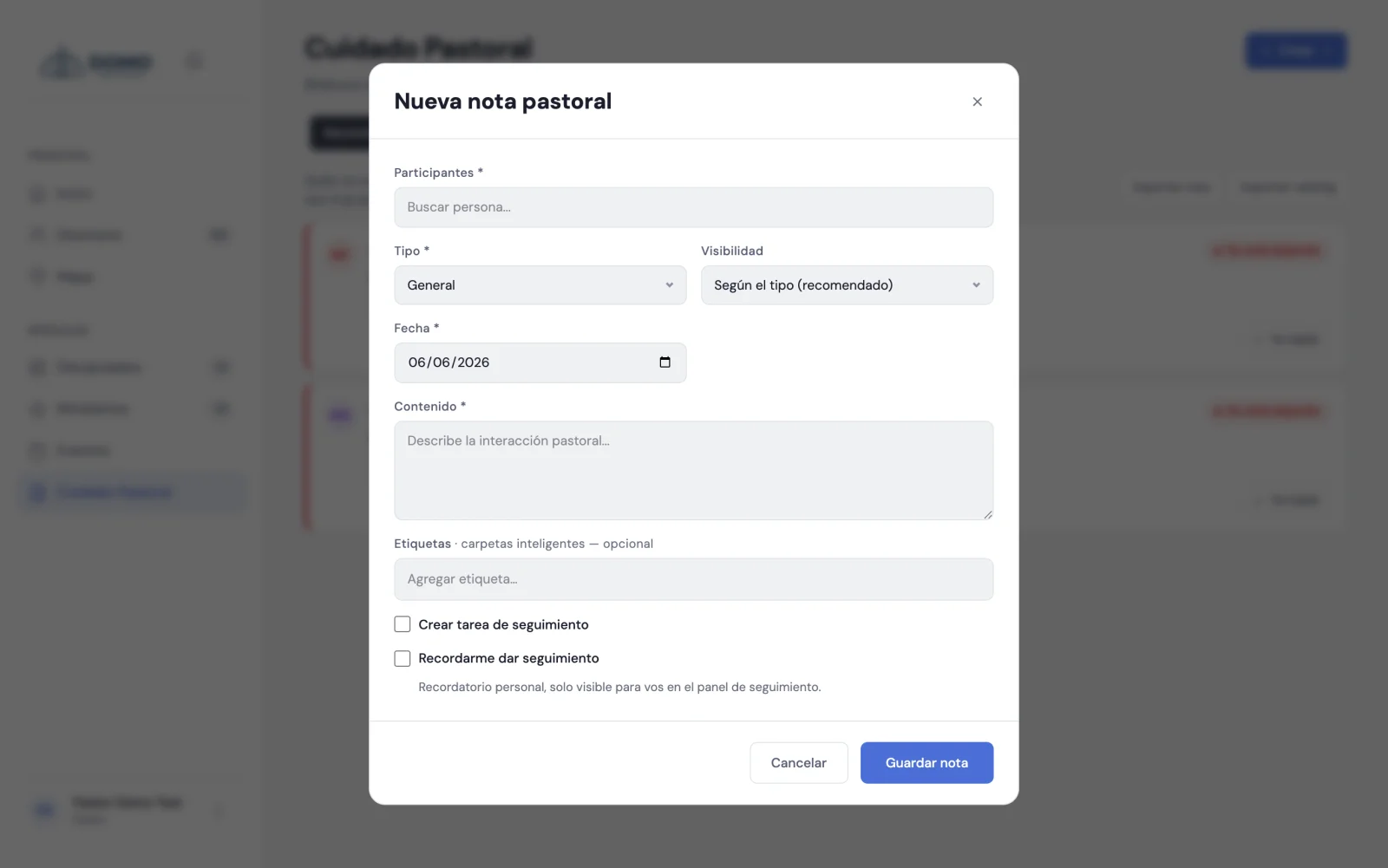
Create a note
- In Pastoral Care, click New note.
- Choose the person (or people) it refers to.
- Choose the type: general, visit, counseling, prayer or discipline.
- Adjust the visibility if needed (Team or Restricted, depending on the type). See Note confidentiality.
- Set the date and write the content.
- Click Save.
You can link the note to several people when the conversation involves, for example, a married couple or a family.
Tags to find them later
You can add tags to a note (for example, "grief" or "finances"). They're useful for recognizing themes and filtering later. If the tag doesn't exist, you create it on the spot.
Turn the note into action
When you save a note you can, in the same step:
- Create a follow-up task — assign someone something concrete to do, with priority and date.
- Remind yourself to follow up — have Domo nudge you on a date to come back to the topic.
That way a conversation doesn't just stay on paper: it turns into real care.
And the other way around: from task to note
Every pastoral task has its own thread of comments: open it from "View details and comments" and jot down progress as it happens ("called her, no answer", "we agreed to meet on Thursday"). Any of those comments can be turned into a formal pastoral note with the Convert to note button — useful when an informal update turns into something worth recording as a note.
Who will see this note?
Notes have confidentiality levels. Some types, like counseling and discipline, start as restricted because of their delicate nature. This is important and we explain it in detail in Confidentiality of notes.