Roles define what each person on your team can do. Domo comes with six ready-made roles, and it also lets you create your own with custom permissions.
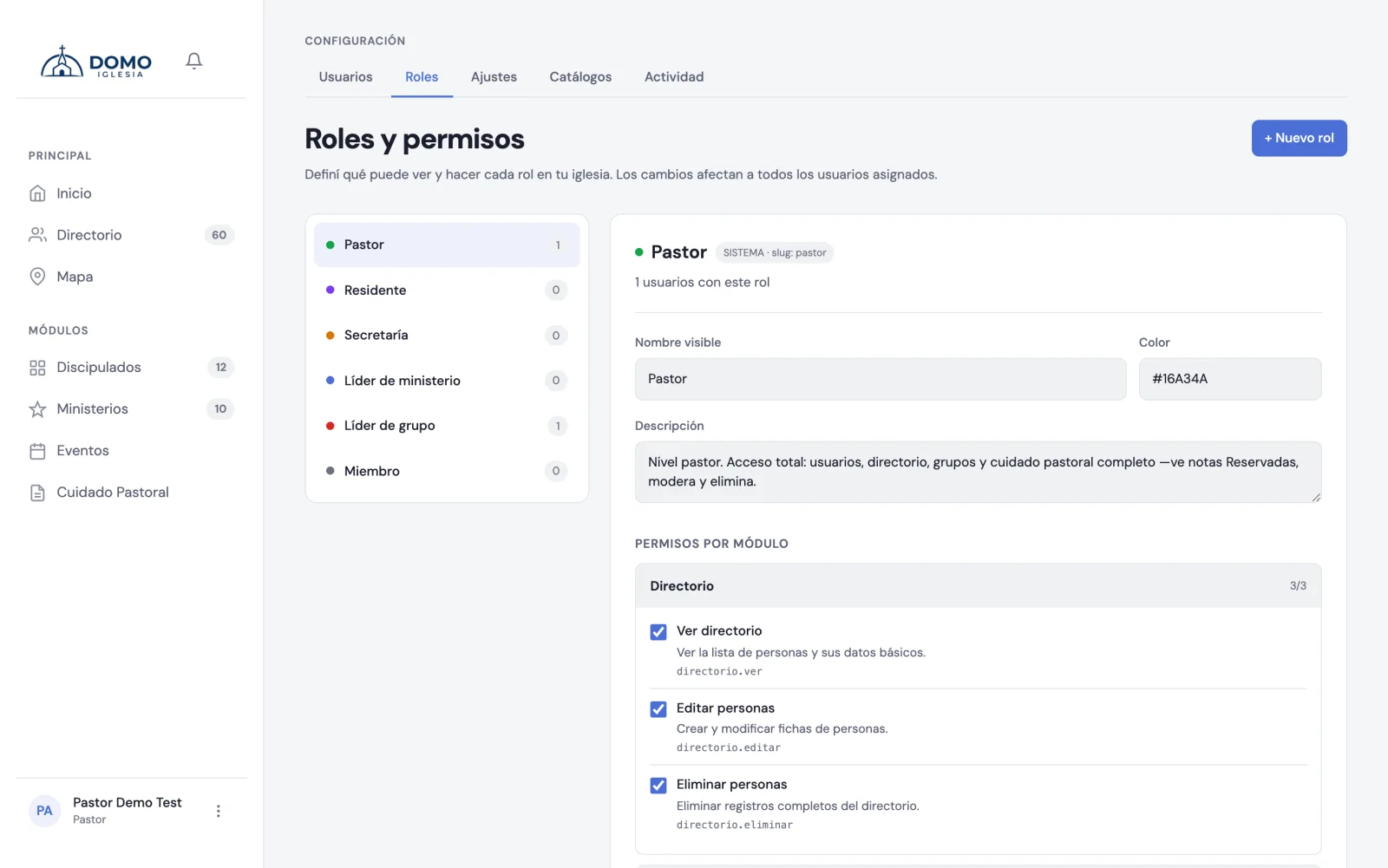
How to get there
Click your name (bottom left) and choose Roles and permissions.
The roles that come ready
Domo includes six system roles: Pastor, Resident, Secretary, Ministry leader, Group leader and Member. They can't be deleted, but you can adjust their permissions.
Create your own role
- In Roles and permissions, click New role.
- Give it a name, a description and a color to identify it.
- Save it.
Then turn on the permissions it needs.
Turn on permissions
Permissions are grouped by module (directory, groups, ministries, pastoral, etc.). Check or uncheck each one with its box; the change saves instantly.
Giving one loose permission to one person
Sometimes you don't want a new role: you want one person to be able to do one extra thing. For example, for the worship leader to manage Worship without turning them into Office staff.
That isn't done under Roles, but on that account's record:
- Go to Settings → Users and open the account.
- Scroll down to the Additional permissions (cross roles) block.
- Check the loose permissions they need and save.
These permissions are added on top of their role's, and they survive the role changes Domo makes on its own. That matters: when someone becomes the leader of a group or a ministry, Domo adjusts their role automatically, and that would overwrite any role change you had made by hand. Additional permissions aren't overwritten.
Sensitive permissions
Some permissions give access to confidential information (like pastoral notes). When you turn them on, Domo asks you to:
- Confirm that you understand you're exposing delicate information.
- Type your password to confirm.
And it records who granted that permission. It's protection on purpose so sensitive access never goes unnoticed.
Always assign the most limited role that works for the person. It's safer and simpler: you can always expand it later.
That log, and everything else your team does, is reviewed in the activity log.