Your profile is your details for signing in to Domo. Keeping them current —especially your password— is part of protecting access to your church's information.
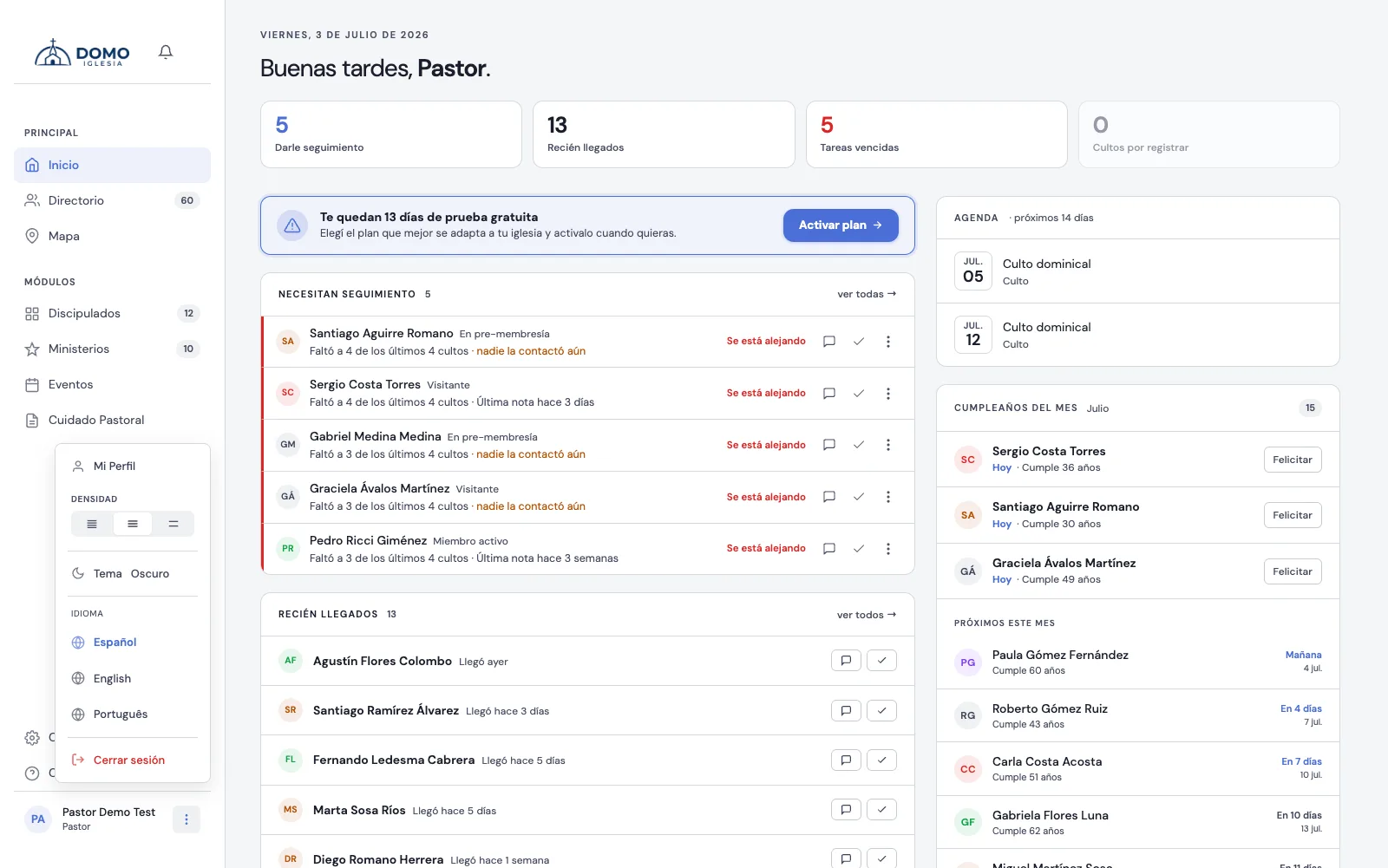
How to get there
Click your name (bottom left) and choose My Profile.
What you can change
My Profile is split into blocks:
- Account — your full name and your sign-in email (the one you use to log in).
- Security — your password.
- Preferences — the interface density and the language.
- On the left, your profile photo and the link to your Directory record.
When you're done, click Save changes.
Change your password
- Go to My Profile.
- In the password field, type the new one (at least 8 characters).
- Confirm your current password when Domo asks for it.
- If you don't want to change it, leave the new password field blank.
- Click Save Changes.
Did someone create your account with a temporary password? Sign in and change it for your own as soon as possible.
Interface preferences
Under Preferences you choose how Domo looks to you: the density (compact, normal or comfortable) and the language (Spanish, English or Portuguese). They're yours: no one else sees them change. The light or dark theme, on the other hand, is changed from your name's menu, without coming in here.
A note
Here you change your sign-in details. Your personal details as a person in the church (phone, address, family) live on your Directory record, not in this profile; your photo, in fact, is stored on that record.
Every Domo account is linked to a person in the Directory. If yours isn't yet, the Directory record block tells you so; ask an administrator to link it from Users.