The Discipleships screen adapts to how you need to look at your groups. And if you lead one, there's a panel made for you.
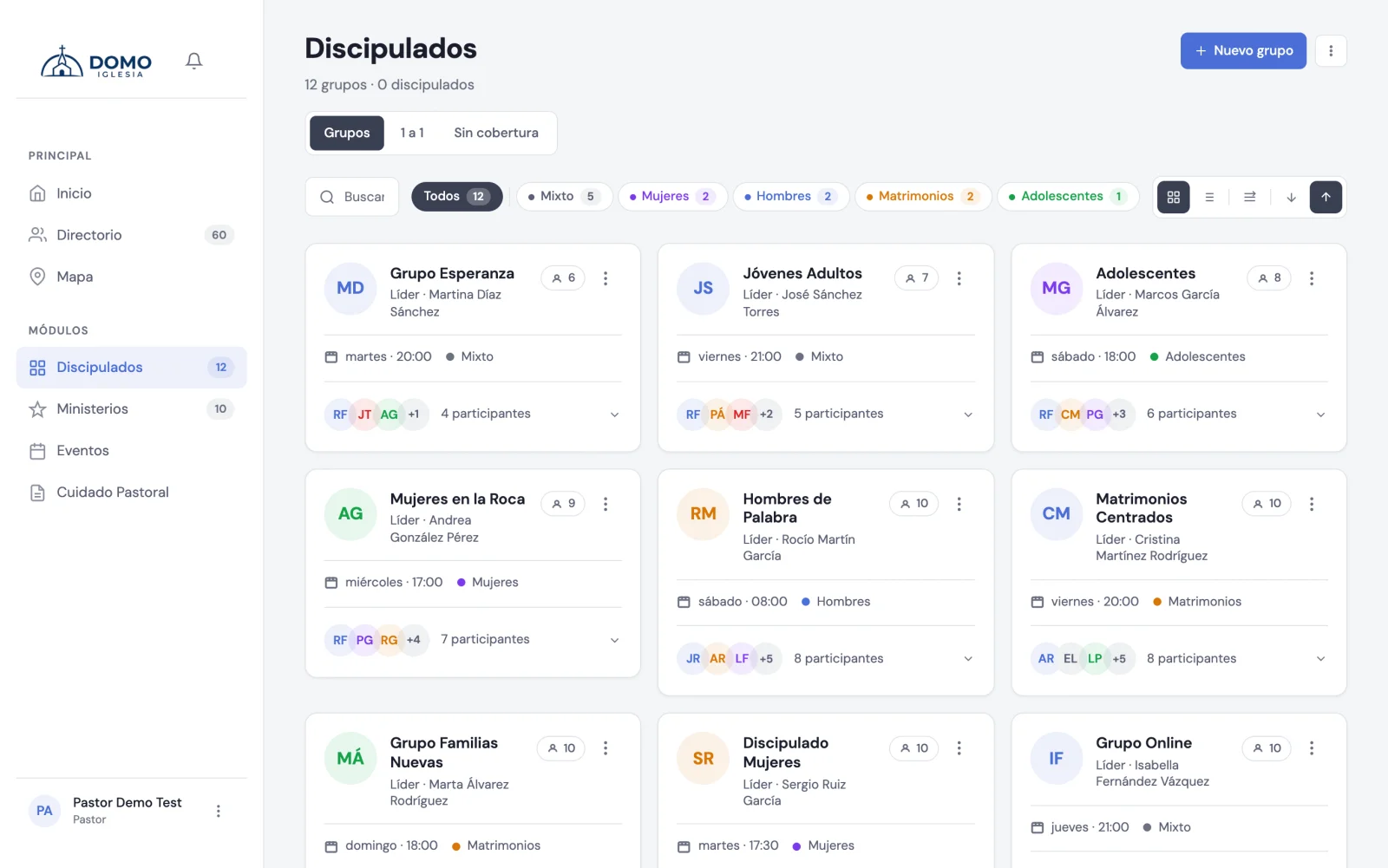
The available views
At the top you can switch between:
- Groups — the grid with all the group cards.
- One-on-one — made for personal discipleships, grouped by discipler.
- Without coverage — (only for pastors and residents) shows you the people who aren't in any group, so no one is left out.
- Attendance — the meeting history of the groups you moderate.
Within the Groups view you can toggle between Grid view and By-day view, expand or collapse the members, and sort from High to low or Low to high.
What each card shows
Each group appears with its leader (and its co-leaders, if it has any), the day and time, the type with its color, and the number of members.
In the card's menu you have:
- Edit group
- Take attendance
- + New meeting
The leader's panel
If you lead a group, Domo shows you a leader's work panel at the top with your group highlighted and its members in view. From there you act directly:
- Take attendance
- New meeting
- Edit group
If you lead more than one group, you can switch between them from the same panel.
Your group's attendance history
The Attendance tab answers two questions you used to have to reconstruct by hand: which meetings there were and who's been missing.
- Meetings — each gathering in the period, with how many came and who was absent. The ones nobody recorded are flagged as no attendance recorded, so you know the gap is in the data entry, not in the people.
- Who's missing — your members sorted by number of absences, with the date of the last absence.
At the top you choose the Period (last 30 days, 3 months or 6 months) and, if you moderate several groups, which one you're looking at.
Meetings that haven't happened yet show up as later on: their attendance is taken that day, not before.
Moderating the group is enough to get in: you don't need the permission to manage attendance for the whole church. That general report — the one covering every person and every scope — is the Attendance tab in Events, and it's for the leadership team.