Catalogs are the "lists" Domo uses everywhere: event types, group types, note types, pastoral tags, the stage names and the song repertoire. Setting them up makes Domo speak your church's language.
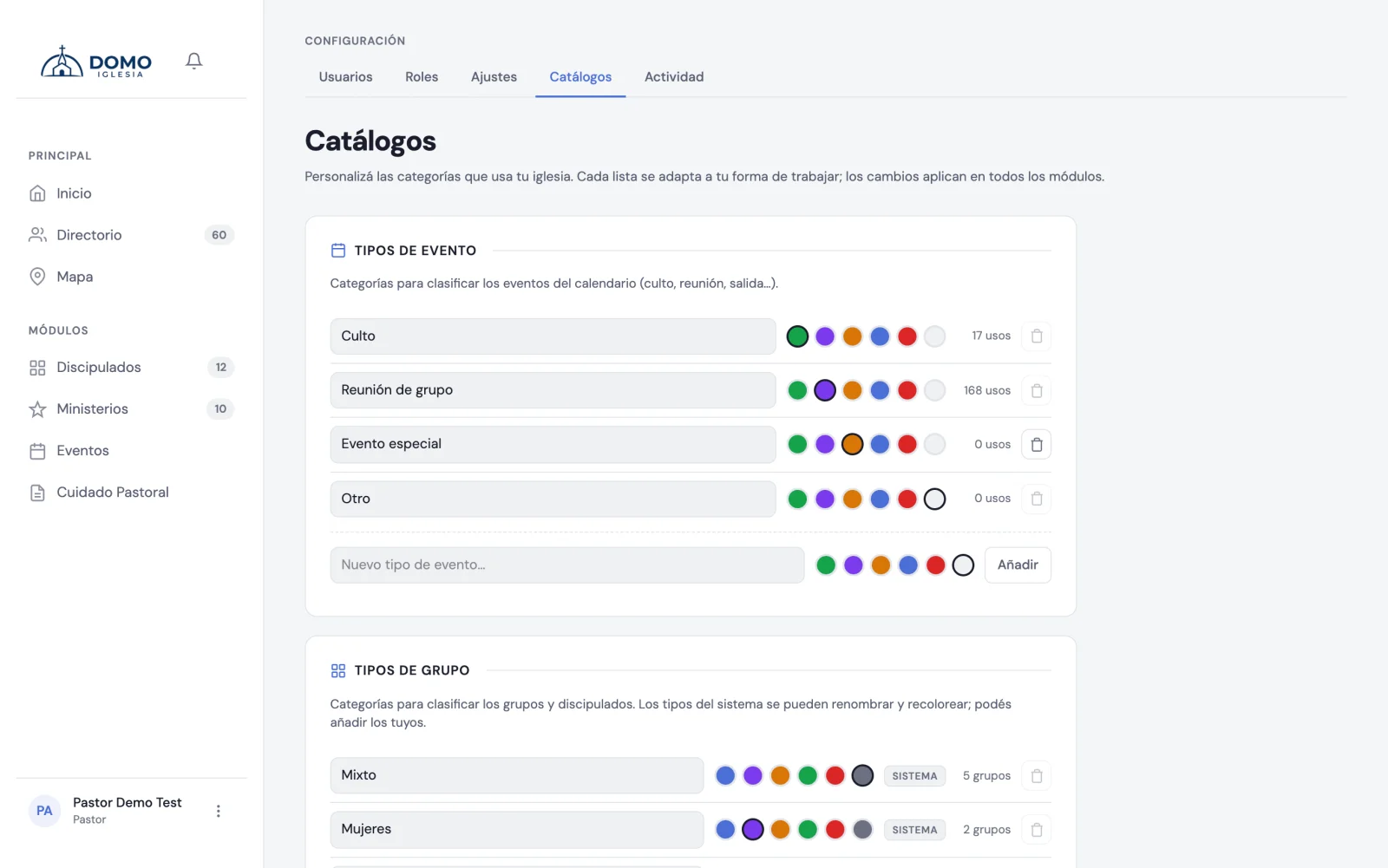
What you can configure
In Catalogs you'll find six lists:
- Event types — worship service, meeting, rehearsal, counseling… Each with a tone from the palette to tell it apart on the calendar.
- Group types — cell group, discipleship, youth group…
- Pastoral note types — general, visit, counseling…
- Pastoral tags — themes to classify notes (grief, finances, etc.).
- Pastoral stages — you don't create new stages here, but you do rename them.
- Songs — the church's repertoire, if you use the Worship module.
What you can do with each list
- Add a new item.
- Rename it (you type and it saves on its own).
- Change its color, on the ones that allow it.
- Turn some on or off, to stop using them without losing what's already entered.
- Delete the ones not in use.
Some items are protected and can't be deleted, because the system depends on them (for example, the "discipleship" type, which activates the special behavior of discipleships).
Renaming the pastoral stages
The stages are always the same — Domo needs them to know who counts for attendance and who doesn't — but you set the name. If your church doesn't say "In pre-membership" but "On the way", type that under Pastoral stages and that's the name your whole team will see: in the Directory filter, in the person's form and in the reports.
Leaving the field empty brings back the original name.
The song repertoire
The Songs card shows up if you have the Worship module on and permission to manage it. Every song someone types into a service's record lands in this list on its own; here you correct the name, add the author and see when it was last sung.
An important detail about notes
In note types you can mark a type as "confidential by default". That makes notes of that type start as restricted automatically. It's why counseling and discipline are usually restricted (see Confidentiality of notes).
For now catalogs can't be reordered from the screen; the order is the default. What you do control is which items exist and what they're called.
Merging duplicate tags
If over time you ended up with two tags for the same thing (for example, "grief" and "Grief"), you don't have to delete one and lose its history: you can merge them.
- In Pastoral tags, click the merge icon next to the tag you want to remove.
- Choose the target tag (the one that stays).
- Confirm. Domo moves every use of the old tag (on notes and tasks) to the new one, and the old one disappears.
This option only shows up once you have more than one tag.