Sometimes you need the information outside Domo: a printed list for a meeting, or all of a person's data when they request it. Domo lets you do both.
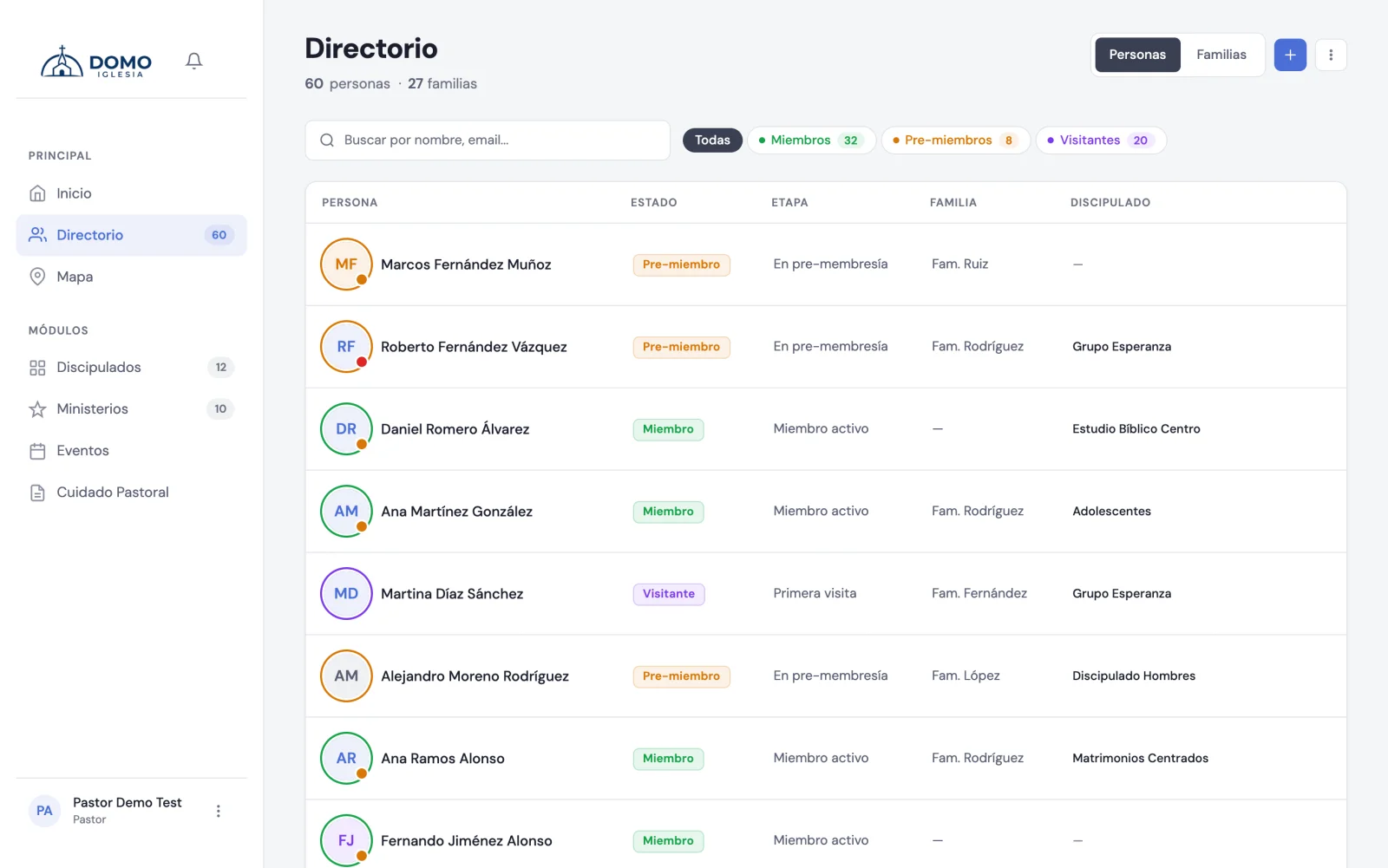
Export the directory as PDF
- Go to Directory.
- If you want, apply a filter or a search (for example, only "Members").
- Open the options menu (the icon next to the add button) and choose Export PDF.
The PDF respects the filter and search you have active, so you can download exactly the list you need.
To export you need the matching permission. If you don't see the option, ask an administrator to enable it from Roles and permissions.
The month's birthday sheet
If your church greets whoever has a birthday, you don't have to build the graphic by hand. Domo builds it with the month's names and photos.
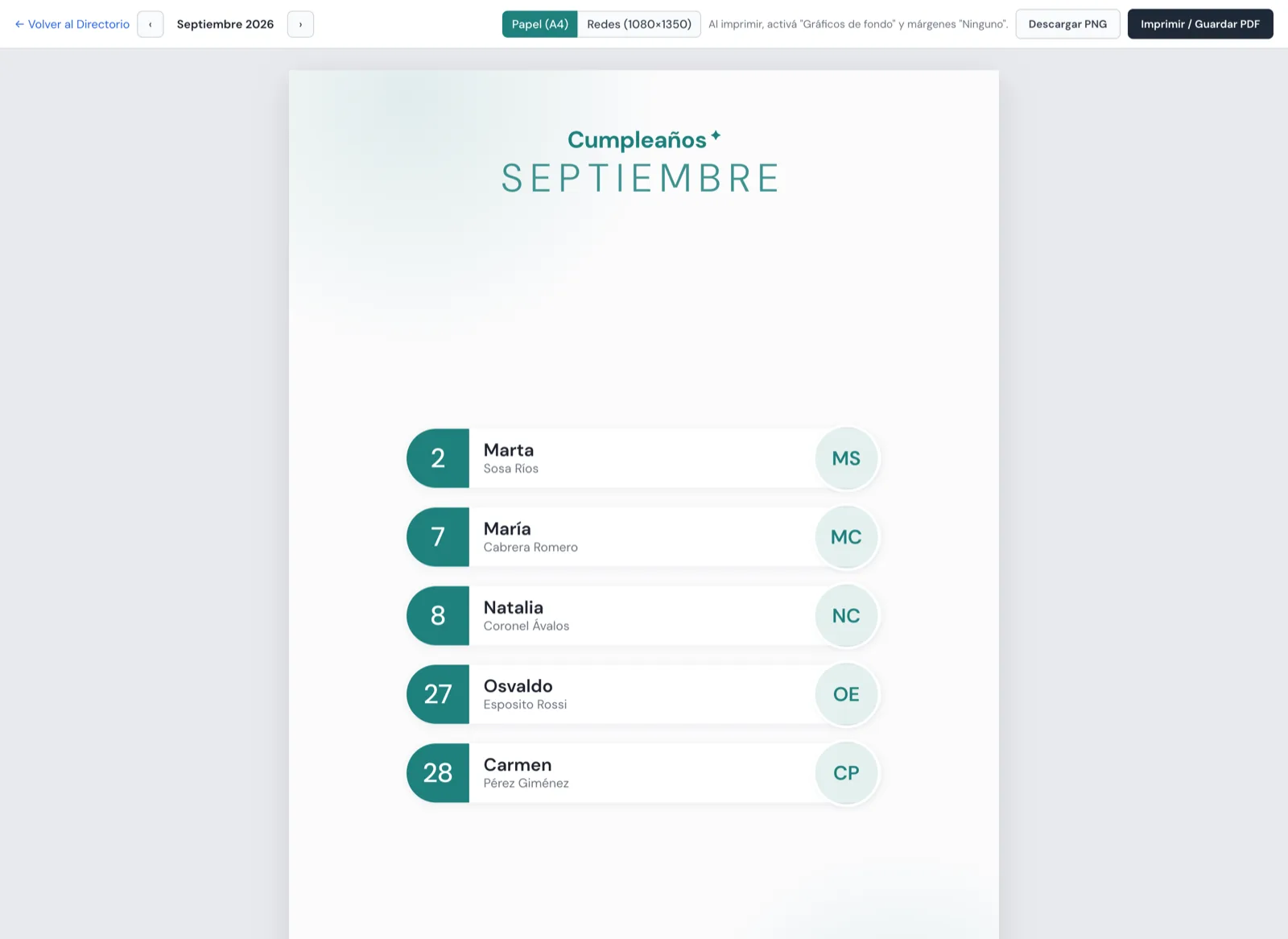
How to get there: in the Directory, options menu → Birthdays of the month (PDF). It's also on Home, in the Birthdays of the month card, with the Sheet button.
On the sheet you can:
- Move between months with Previous month and Next month.
- Choose the Format:
- Paper (A4) — to print and pin on the noticeboard.
- Social (1080×1350) — the proportions of an Instagram or Facebook post.
- Download PNG — the image ready to publish.
- Print / Save PDF — for paper.
The layout adapts on its own to how many people have birthdays: with a few, the photos come out large; with many, the grid tightens so they all fit on one page.
If you print from the browser, turn on "Background graphics" and set the margins to "None": otherwise the background color won't come out. Domo reminds you on screen.
You need permission to edit the directory; it's the same one the PDF export asks for.
Download all of a person's data
If a person asks for a copy of their information (for example, under data protection law), you can give it to them:
- Open the person's record from the Directory.
- In the record's menu, choose Download data.
A file downloads with all their information: basic details, family, groups and ministries, and stage history. If you have pastoral access, it also includes their notes and tasks.
Every download of this kind is logged in the activity history, so there's transparency about who accessed the information.